

Table of Contents
- Introduction: Bringing AI to the Front Lines of Sales
- The Classic Sales Problem: "I Can't Picture the Finished Result"
- 3 Steps to Higher Close Rates: Visualize and Quote on the Spot
- The Next Level: AI as an Autonomous Sales Assistant
- Real-World Challenges Before You Go Live
- Takeaway: AI Wins Sales by Making the Invisible Visible
Introduction: Bringing AI to the Front Lines of Sales
In my work helping companies adopt AI and running business seminars, one topic consistently gets the strongest reaction from executives and sales managers: using generative AI as a direct sales tool.
Most people still think of AI as a back-office efficiency play — drafting emails, summarizing documents, automating internal workflows. But plug it into your frontline sales process and it becomes something far more powerful: a tool that directly moves the revenue needle.
In this post, I'll walk through a next-generation sales workflow I've been presenting at business seminars — one built around AI image generation — using an LED display installation company as a concrete example.
The biggest misconception about AI in business is that it's only good for cutting costs. Put it in the hands of a salesperson and it becomes a closing tool. For a broader overview of which AI tools do what, my AI tool comparison post is a good starting point.
The Classic Sales Problem: "I Can't Picture the Finished Result"
When selling physical products — signage, lighting, landscaping, renovation work — the single biggest source of customer hesitation is the inability to visualize the end result. "What will this actually look like at my location?"
Traditionally, the sales rep would photograph the site, bring the images back to the office, hand them off to a designer to create a composite mock-up, and return days later with the renderings alongside a quote. By then, the customer's excitement had cooled — and so had the deal.
This is exactly the problem that on-the-spot AI image generation solves.
3 Steps to Higher Close Rates: Visualize and Quote on the Spot
Here's the AI-powered sales workflow I walk through in my seminars.
Step 1: Photograph the Site with a Smartphone
During the sales visit, the rep pulls out their phone or tablet and photographs the location where the product will be installed — the castle grounds, the garden, the storefront, whatever it happens to be.
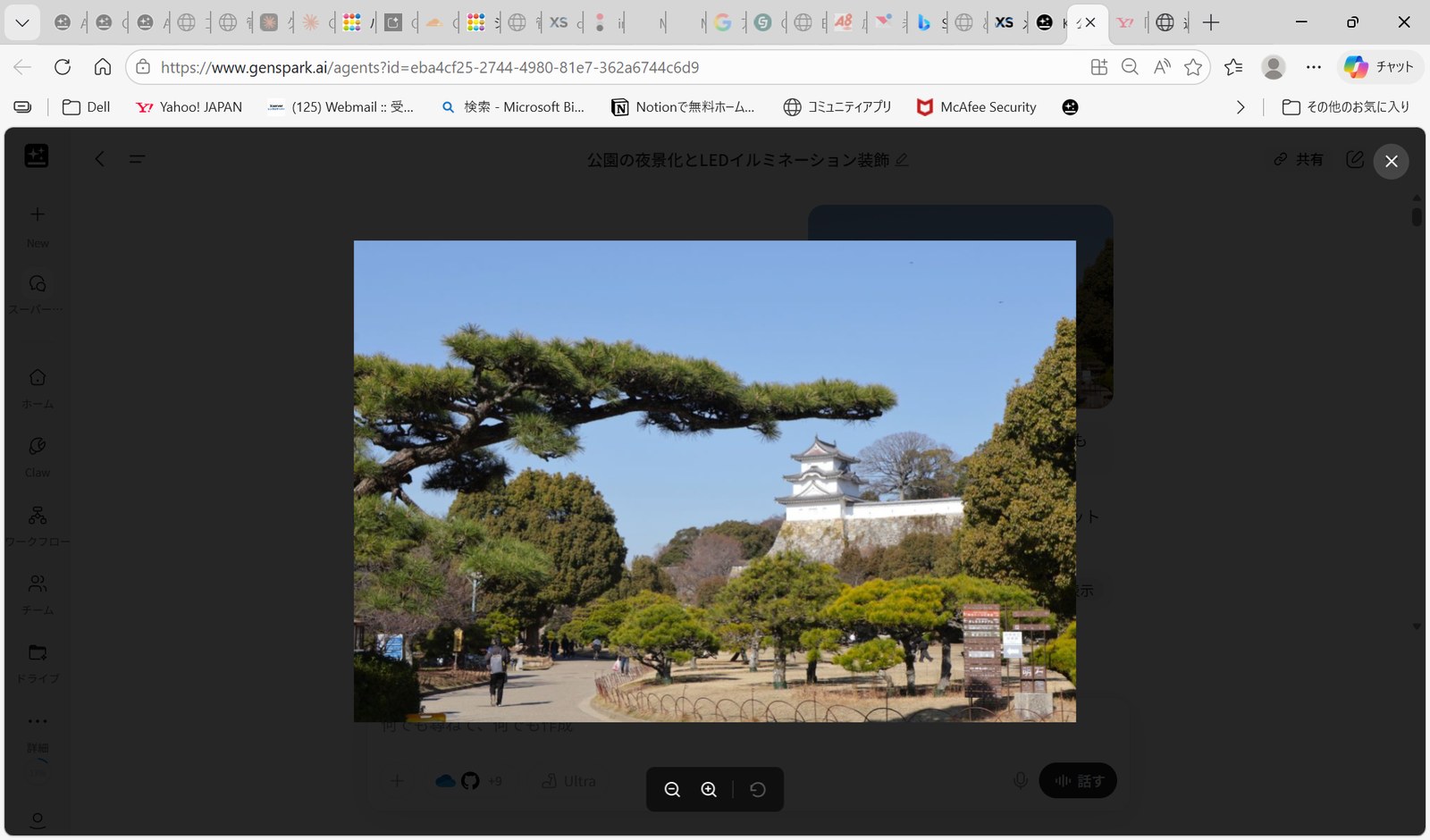
Step 2: Feed the Photo to AI and Generate the Finished Look
The rep immediately uploads the photo to an AI tool and types in a prompt.
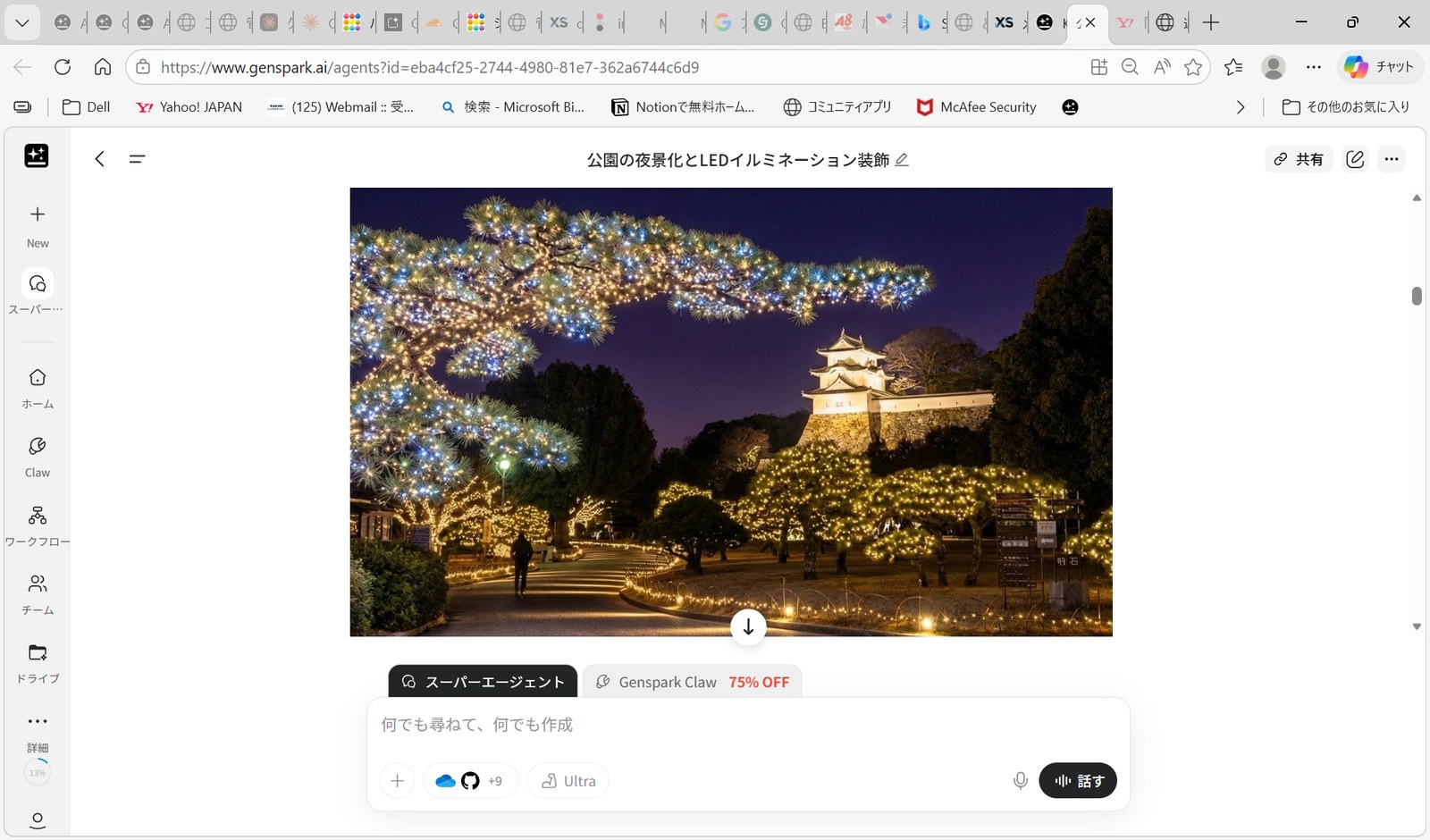
"Turn this into a nighttime scene and add LED illumination to the area I've indicated."
Within seconds, a photorealistic rendering appears — the customer's actual location, transformed. The effect on the customer is immediate: "Wow, that's exactly what I was imagining!" That emotional response, delivered in real time, is worth more than any brochure.
Step 3: Generate a Ballpark Quote from the Image
This is where it gets really interesting. Don't stop at the pretty picture.
"Based on the amount and type of LED in this image, give me a rough cost estimate."
The AI analyzes the volume of decoration in the image and produces a structured estimate on the spot — line items, unit prices, quantities, subtotals. When a visual and a number land on the table at the same moment, customers make decisions faster.
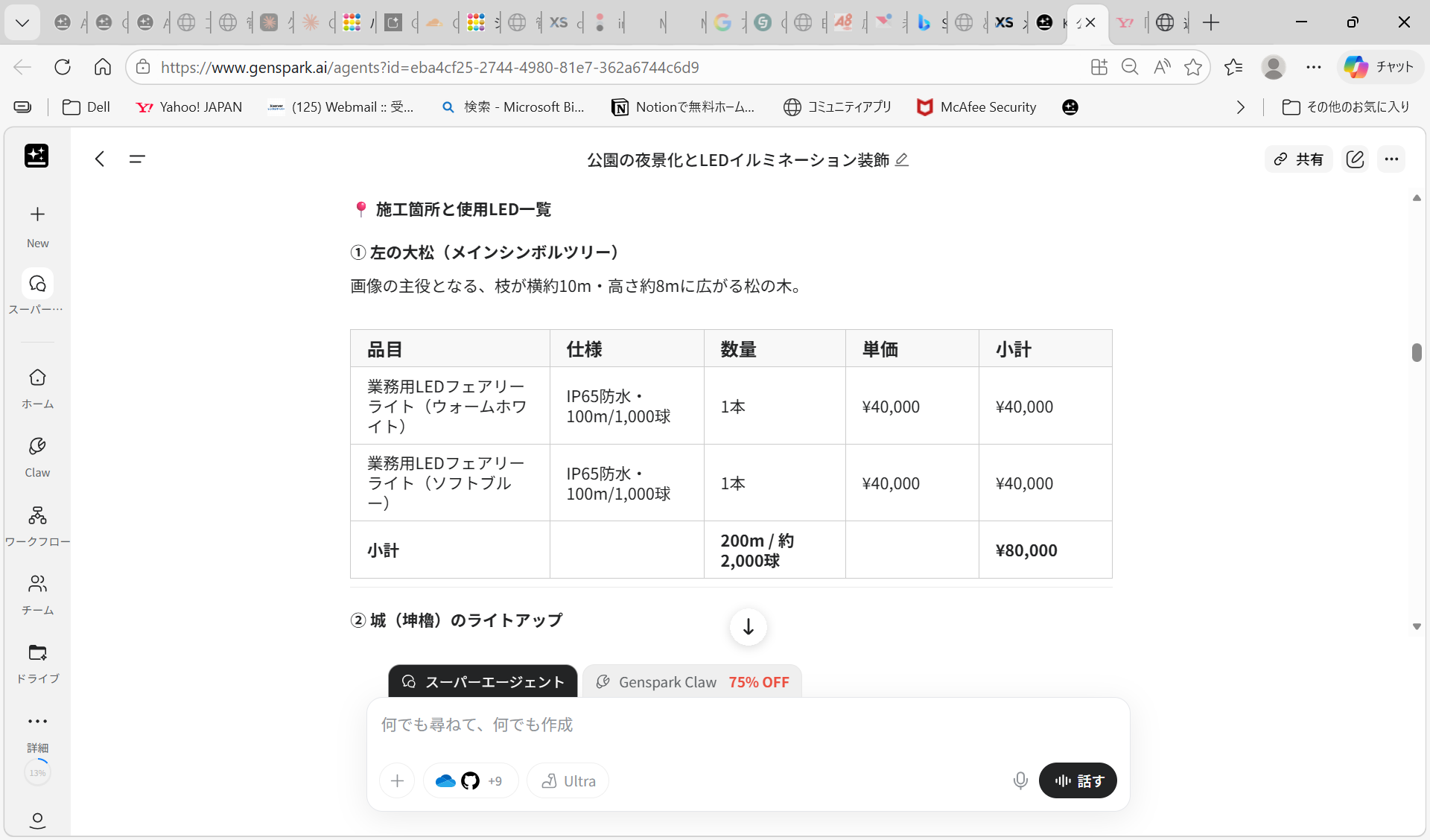
This isn't meant to replace a formal quote. But even if you keep it internal, the sales rep now has a number in their head while the conversation is still hot — and that matters.
Delivering a visual and a ballpark figure in the same conversation — while the customer is still excited — is something the old workflow could never do. That's the moment that drives decisions. Wondering what AI tools make this kind of workflow possible? Check out my AI subscription breakdown and see what a realistic setup actually costs. For pricing on specific tools: Genspark Pricing Page (pricing details are further down the page).
The Next Level: AI as an Autonomous Sales Assistant
With the latest AI tools, the workflow doesn't have to stop at image generation and quoting — it can extend all the way through the post-meeting follow-up.
Imagine the customer says yes on the spot. The rep can immediately voice-command the AI:
- "Email the CEO right now with this quote and the rendering — ask if they want to move forward."
- "Call the decision-maker using the AI voice agent and confirm the schedule."
We're already in an era where AI can function not as a passive tool but as an autonomous sales assistant that takes action on your behalf.
Real-World Challenges Before You Go Live
None of this rolls out perfectly tomorrow. Getting it to production quality requires real setup work.
① Train the AI on your own product catalog: Feed it your actual SKUs, unit prices, and specs — ideally via a RAG setup — so it quotes from real inventory, not imagination.
② Build in the hidden costs: Installation labor, wiring, site prep — the things the image doesn't show. The quoting logic needs to account for these.
③ Prevent hallucination: Constrain the AI so it only recommends products that actually exist in your catalog. Without guardrails, it will invent things.
Getting through that setup work takes real effort. But once it's done, you have a sales capability that most competitors simply can't match.
Takeaway: AI Wins Sales by Making the Invisible Visible
AI-powered image generation and quoting isn't just another efficiency tool. It's a way to give every member of your sales team the presentation power of your best closer — right there in the field.
Take the customer's uncertainty ("what will this look like here?") and dissolve it on the spot. Replace vague descriptions with a photorealistic image. Follow it immediately with a number. That combination moves people from "I'll think about it" to "let's do it."
The workflow in this post combines image generation, data analysis, and agent-style automation. Before trying to build it, it helps to understand what each type of AI tool brings to the table. My AI tool comparison is a good place to start.