Table of Contents
- Overview
- What each status code means
- Fixing 429 errors: exponential backoff
- How generous is the free tier in the first place?
- Getting blocked due to a leaked API key
- Getting blocked by safety settings
- The multimodal-specific "parts ordering trap"
- When the response cuts off partway through
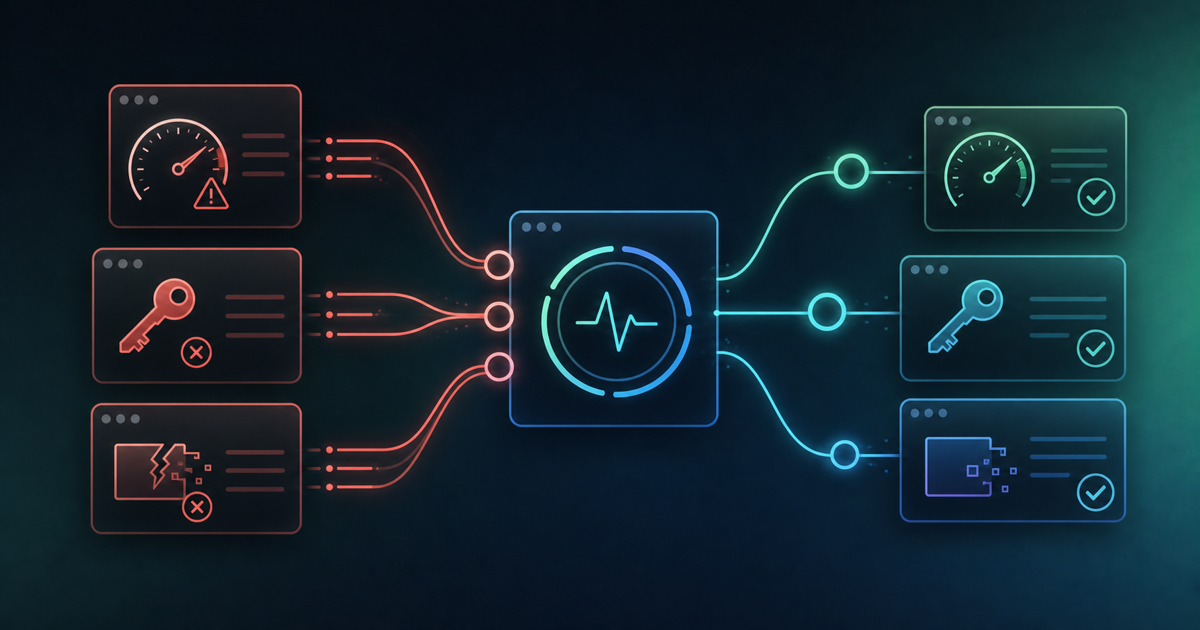
- Summary: a lookup table by error code
Overview
When building with the Gemini API, you will run into all kinds of error codes sooner or later. Rather than retrying blindly without knowing the cause, understanding what each status code means makes it possible to work out a fix in a fairly mechanical way.
What each status code means
First, it helps to know what the most common HTTP status codes actually mean.
- 429: quota exceeded — a rate limit has kicked in
- 401: authentication error — the API key is invalid
- 400: the request itself is malformed
- 404: the endpoint URL is wrong
Checking which code came back is the first step toward a fix.
Fixing 429 errors: exponential backoff
When 429 errors caused by rate limiting keep showing up, a well-known fix is a pattern called "exponential backoff." Instead of retrying at a fixed interval, you double the wait time on each retry — 1s, 2s, 4s, 8s — which is recommended as production-grade error handling. Retrying at a fixed interval tends to hit the rate limit again quickly, so gradually stretching out the wait time is the better design.
How generous is the free tier in the first place?
To head off 429 errors before they happen, it also helps to know the free-tier limits for whichever model you're using. Gemini API limits appear to be managed along three axes: RPM (requests per minute), TPM (tokens per minute), and RPD (requests per day). The numbers vary by model — one model reportedly allows around 100 requests a day, a lighter model around 250 requests a day, and another lightweight model around 5 requests and 250,000 tokens per minute.
That said, these figures shift depending on the model, region, and billing status, and don't appear to be fixed values in the official documentation. Checking your own project's rate-limit dashboard in Google AI Studio is the most reliable way to get current numbers. If 429 errors keep piling up during development, exponential backoff is only a stopgap — it may be time to consider moving from the free tier to a paid tier.
Getting blocked due to a leaked API key
If a key is flagged as having leaked, that key gets blocked from accessing the Gemini API. In that case you need to go into Google AI Studio, confirm whether the key is blocked, and issue a new one.
Getting blocked by safety settings
Prompt content can also get blocked by safety settings (safety filters). Reviewing the safetySettings parameter you're passing at call time, and loosening it where appropriate, can sometimes get around this.
The multimodal-specific "parts ordering trap"
Requests that combine images and text — multimodal requests — can run into their own distinctive errors. Specifically, a 400 error can occur because the order of "parts" isn't what's expected, or because the MIME type for inline_data was left unspecified. This is a pitfall that's easy for developers to miss.
When the response cuts off partway through
Sometimes the error code comes back fine, but the response itself just stops partway through. In most cases this is caused by the max_output_tokens setting being too small. Raising that value, or instructing the model to split its output into parts, tends to resolve it.
Summary: a lookup table by error code
If you run into a Gemini API error, use this as a quick reference.
- 429 (rate limit) → back off exponentially and stretch out retry intervals
- 401 (auth error) → check the key's status in AI Studio and reissue if needed
- 400 (bad request) → check parts ordering and MIME type settings
- 404 (wrong URL) → double-check the endpoint URL
- response cuts off → review the max_output_tokens setting
Reading the error code as a clue rather than a mystery is a much faster route to a fix than blind trial and error.