Table of Contents
- What Can Genspark Actually Do?
- Free Users Get 100 Credits Every Day
- If You Are Using Genspark for Free, Start with AI Chat
- Next, Try Image Generation
- You Should Try the Slide Generator at Least Once
- You Don't Need to Subscribe Immediately
- Don't Put Everything into Super Chat on the Free Plan
- If I Only Had 100 Free Credits, This Is How I Would Use Them
- The Free Plan Is Also a Good Place to Let AI Fail
- Genspark Has Weaknesses and Bugs Too
- If You Run Out of Credits, You Can Just Stop for the Day
- There Are Sometimes Campaigns for Extra Free Credits
- If the Free Plan Makes You Want More, Then Consider Paying
- It's Fine If Genspark Makes You Choose Another AI
- Conclusion: Genspark's Free Plan Is a Good Place to Experiment with AI
With so many AI tools making headlines these days, you may be wondering which one is actually worth using. But signing up for a paid plan right away can feel like a bit of a gamble. ChatGPT has a paid plan. Claude has one. Gemini has one too. At this point, there are so many AI services that it is perfectly reasonable to ask: "Which AI should I actually pay for?"

Umm, does that mean AI is basically unusable unless you pay?

Not at all — Genspark actually lets you do quite a lot for free. Let's walk through how today.
I use several different AI tools for my work, this blog, and app development. I do not use Genspark for absolutely everything. I use Genspark, but I also use ChatGPT. I sometimes use Claude, and when I am working with Google services, Gemini can be very convenient.
After using all of them for quite a while, one thing has become very clear to me: there is currently no single AI that is the best at everything. One tool may be easier to use for writing. Another may be better for programming. Another works particularly well with Google services. Another may be better for image generation or presentations. They all have different strengths.
The problem is that paying a monthly subscription for every one of them quickly becomes expensive. That is why, if you are just starting to use AI more seriously, I recommend trying Genspark's free plan first. Genspark currently gives free users 100 credits every day. Of course, 100 credits are not enough to use every feature without thinking about consumption.
However, if you use those credits carefully, you can still try many of Genspark's major features, including AI chat, image generation, slide generation, research, and AI agents.
Another interesting thing about Genspark is that you are not limited to testing Genspark itself. Inside Genspark, you can use multiple AI models such as GPT, Claude, and Gemini. That makes it a useful place to answer another important question: "Which AI actually works best for me?"
In this article, I will explain how I would personally use Genspark if I only had the 100 free credits available each day.
There is no need to subscribe to a paid plan immediately. Try it for free first. If you start thinking, "I could actually use this for work," then you can decide whether paying for it makes sense. In particular, if you have only used ChatGPT so far — or if you live almost entirely inside Google's ecosystem with Gemini and NotebookLM — I think Genspark is worth trying at least once. You can find my detailed, no-holds-barred review of using Genspark for about a year and a half in a separate article.
What Can Genspark Actually Do?
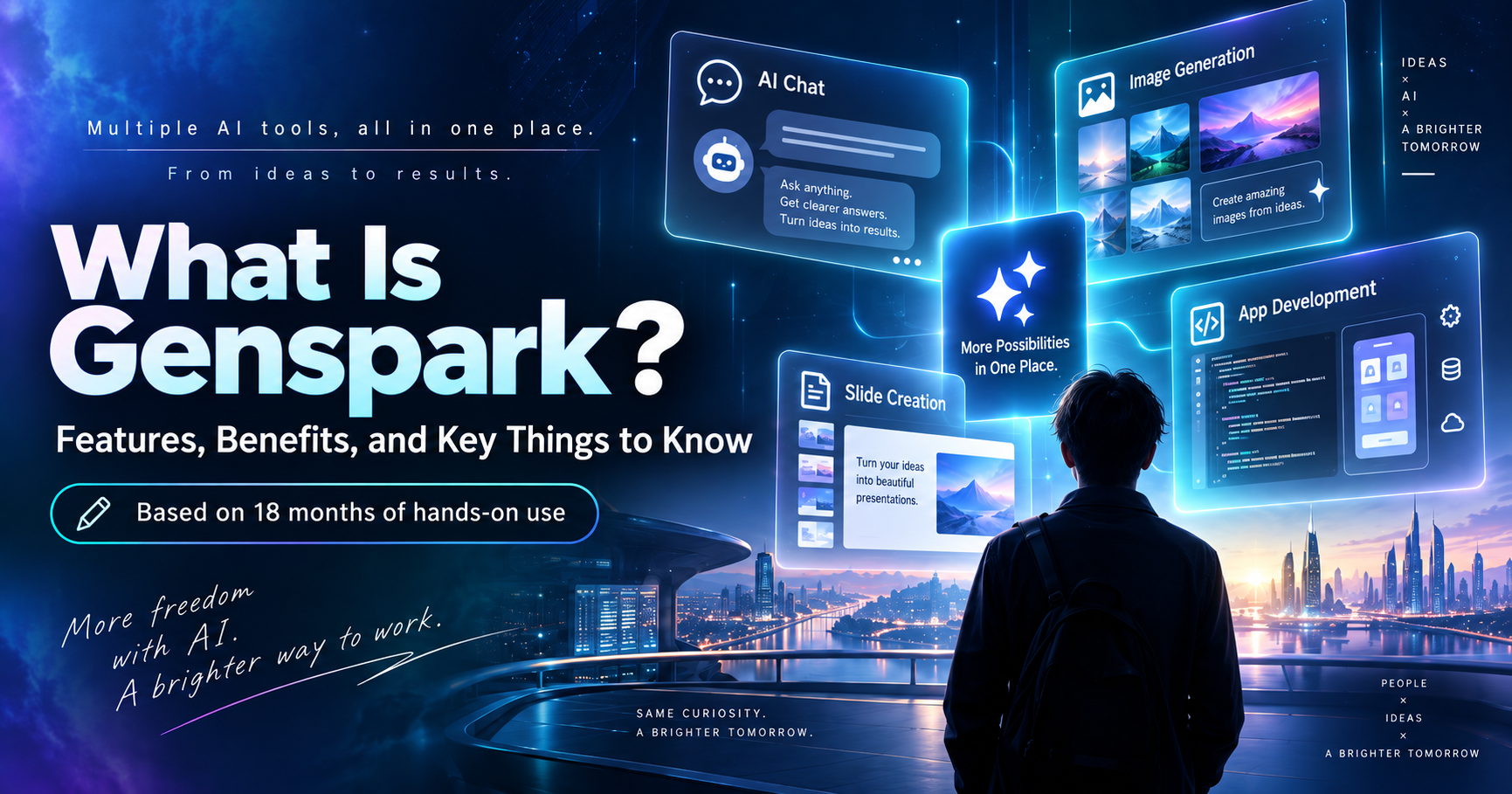
Genspark is surprisingly difficult to explain in one sentence. You can use it like ChatGPT and ask questions in a normal AI chat, but that is only one part of it. It can also create presentation slides, generate images, research information on the web, create files, and perform various other tasks.
I have covered Genspark's features elsewhere on this blog, and there are quite a lot of them. Because of that, new users may open Genspark for the first time and immediately wonder: "Where am I supposed to start?"
I do not think you need to try every feature when you are using the free plan. In fact, if you only have 100 credits and start running every resource-heavy feature you see, those credits can disappear surprisingly quickly. Rather than trying to understand everything Genspark can do, I think it is better to start with one simple idea: take something you already do regularly and ask Genspark to do it once.
For example: if you normally create presentations in PowerPoint, try the slide generator. If you run a blog or social media account, try image generation. If you work with Excel or CSV files, try data processing. If you write software, try generating or debugging code through AI Chat. If your job involves planning, sales, or research, try asking it to research a topic or create a document.
Choose something that normally takes you an hour and see what happens when you ask AI to do it. That will tell you much more than simply clicking through every menu.
Free Users Get 100 Credits Every Day
Genspark's free plan currently gives you 100 credits every day. You cannot simply avoid using them for a month and save up 3,000 credits. The free credits essentially reset daily, so if you want to stay on the free plan, the key question becomes: how should you use those 100 credits?
There is one important thing to understand here. Credit consumption varies significantly depending on what you ask Genspark to do. A simple AI chat does not usually consume a huge amount. On the other hand, tasks such as creating a full presentation, generating video, running Deep Research, or giving a complicated task to an AI agent can use considerably more credits.
When I first started using Genspark, I did not pay much attention to this either. But once you start repeatedly running agents for serious development work, credits can disappear very quickly. For example, when I used Genspark to make this blog multilingual, I went through a lot of trial and error and eventually used roughly 5,000 credits. Compared with the 100-credit free plan, that is obviously a huge amount.
To be fair, translating and restructuring an entire blog is a fairly large task, so you are unlikely to consume anything close to that simply by experimenting. Still, it is worth knowing that 100 free credits do not mean you can use every Genspark feature all day without limits. That is why a little planning goes a long way. You can find more details on how credits work on Genspark's official help center.
If You Are Using Genspark for Free, Start with AI Chat
If I were starting with Genspark's free plan today, the first feature I would try would be AI Chat. The reason is simple: you can test many things while using relatively few credits.
When you open the Genspark homepage, you will see a prominent input box. It is tempting to type everything into that box.
That prominent input box is called Super Chat, and because it is designed to handle more complex tasks, it can consume more credits. Genspark also has a separate AI Chat feature where you can talk directly to individual AI models. Look for the AI Chat option among the icons below Super Chat. From there, you can choose between several models, including GPT, Claude, and Gemini.
This is one of the most interesting things you can do with the free plan. For example, suppose you use Excel at work. You could ask, "I have this spreadsheet and want to calculate monthly sales totals. What is the easiest way to do that?" Then ask the exact same question to another model. You may be surprised by how different the responses are.
One AI may carefully explain every step. Another may immediately give you the finished formula or code. Another may proactively suggest improvements you never asked for. I do not necessarily think one is objectively better than another. A lot of it comes down to compatibility with the way you think and work.
I use multiple AI tools for software development as well, and even when I give them exactly the same code, the way they approach the problem can be very different. You often do not know whether an AI suits you until you actually use it.
You Can't Tell Whether an AI Suits You from a Spec Sheet
When buying a computer or smartphone, specifications are useful. You can compare the CPU, memory, storage capacity, and so on. AI is different.
Of course, AI benchmarks exist. We constantly see headlines saying things like "Model X ranks first on benchmark Y." But benchmarks do not necessarily tell you which AI will be easiest to use for your actual work. For example, I personally tend to prefer Claude when I want AI to write code. When I am working on blog content or generating images, I may prefer ChatGPT. When I need to work closely with Google services, Gemini can be useful.
Sometimes an AI model is highly rated by everyone else, yet it simply does not work particularly well for the way I use it. That is why I think it makes more sense to try several tools yourself before immediately deciding "I'll subscribe to ChatGPT Plus," "I'll get Claude Pro," or "I'll pay for Gemini."
Genspark's AI Chat is useful for exactly this reason. You can switch between multiple models in one service and give each of them the same question. So instead of using Genspark only to test Genspark itself, you can also use it to find the AI that suits you best.
Ask Three Different AIs the Same Question
If you are new to AI, I strongly recommend trying this at least once. It does not need to be a difficult question. In fact, it is better to ask about something you actually struggle with at work.
For example: "Write an email telling a client that our delivery will be delayed." Or: "I do this Excel task every month. Is there a way to automate it?" If you are a programmer, paste in a real error message you are currently dealing with. Ask Claude. Then ask GPT. Then ask Gemini. That is all you need to do.
After reading the three answers, you will probably find yourself thinking, "This one is the easiest for me to understand." At that point, that AI may be the best fit for you — at least for that particular kind of task. I think that is far more useful than simply following someone else's AI ranking.
Next, Try Image Generation
After trying AI Chat, I recommend generating at least one image. This is particularly useful if you work with blogs, Instagram, advertising, sales materials, or websites.
Image generation used to have one major weakness. The images themselves could look impressive, but as soon as you asked the AI to include text, things often went wrong. Japanese text in particular could turn into strange characters or meaningless symbols.
Modern image-generation models have improved significantly in this area. Models available through Genspark can now handle text in images much more reliably than older systems.
"Create a square Instagram image about skincare for men in their 30s. Put the text 'Men's Skincare in Your 30s' in the center." Or: "Create a seminar banner with the title 'AI Training for New Employees.'"
I recommend creating something you could realistically use for work. You can certainly ask the AI to generate a cute picture of a cat, and that will tell you something about its image quality. But it will not tell you whether the tool is genuinely useful for your work. If the whole point of testing the free plan is to find out whether AI can help with your job, ask it to create the type of image that currently costs you time or money.
Genspark lets you choose from several image-generation models, including GPT and Nano Banana. At the moment, I personally tend to prefer GPT for image generation.
You Should Try the Slide Generator at Least Once
If someone who had never used Genspark asked me, "What should I try if I want something that really feels like AI?" I would probably tell them to generate a presentation.
Genspark's slide generator is one of the easiest ways to see how much time AI can potentially save. For example, you could say, "Create a roughly 10-slide presentation for company executives explaining the benefits and risks of introducing generative AI into the workplace."
Genspark does not simply return a block of text. It can come up with the title, structure the presentation, write the content for each slide, place images and diagrams, and turn the whole thing into something that actually looks like a presentation.
Of course, I would not recommend sending the first generated version straight into an important executive meeting without checking it. You still need to verify numbers, rewrite awkward text, and adapt the design to your company's branding. Even so, there is a huge difference between opening a blank PowerPoint file and starting from slide one, and starting with a 10-slide draft generated by AI and editing it. If presentation creation takes up a lot of your time, I think this feature is definitely worth testing. You can see a real example of building seminar slides with Genspark in this article.
With the Free Plan, Use Slides to Judge the Quality
There is one thing I would change about the way you use the slide feature on the free plan. Slide generation uses more credits than ordinary AI chat. If you only have 100 credits and repeatedly say "That's not quite right, try again," "Change the design," or "Make another version," your credits can disappear very quickly.
So with the free plan, I would simply create one presentation. That is enough. The goal is not to create a perfect, finished presentation for free. The goal is to answer this question: if I give Genspark the kind of material I normally work with, how good is the result?
Suppose you usually spend three hours creating a presentation. If Genspark gives you a reasonably solid draft in a few minutes, that alone may be valuable. On the other hand, if you look at the result and think, "This probably isn't very useful for the kind of work I do," then you simply do not need to pay for it. That is what a free plan is for.
You Don't Need to Subscribe Immediately
I use Genspark quite a lot. At this point, I have been using it for around a year and a half. On this blog, I have used Genspark for app development, website development, blog management, and all kinds of experiments.
Based on that experience, I definitely think Genspark is a useful tool. But even so, I would not tell every first-time user, "Just pay for the premium plan immediately."
Different jobs require different things from AI. If you mainly use AI for writing, Genspark's huge range of features may be more than you need. If programming is your main use case, directly subscribing to another AI service such as Claude may be easier and more cost-effective.
On the other hand, if you regularly create presentations, generate images, do research, work with Excel, and occasionally write code, then having all of those capabilities in one service may make Genspark a good fit. You cannot really know until you try it. That is exactly why I think starting with the free plan makes sense.
Don't Put Everything into Super Chat on the Free Plan
If you want to use Genspark for free over a longer period, there is one habit worth learning: do not automatically put every task into the main input box.
Super Chat is convenient. Even if you do not know which Genspark feature you should use, you can simply describe what you want and let Genspark figure out the rest. That is very beginner-friendly. However, because Super Chat may run multiple processes behind the scenes, it can consume more credits than a simple AI chat.
For example, if all you want is "Rewrite this paragraph so it is easier to read," you probably do not need a sophisticated AI agent — AI Chat is enough. If you need an image, use the image-generation tool. If you need slides, use the slide tool. When you already know what kind of output you want, choosing the dedicated feature from the icons below Super Chat can save a considerable number of credits.
Ahh, I'm out of credits already…
With a few smart choices, you can save a lot on credit usage!
This matters even more when you are using the free plan.
If I Only Had 100 Free Credits, This Is How I Would Use Them
So how would I use Genspark if I were starting today with only the free credits? I would not try everything in a single day. The free credits come back the next day, so why not spread the experiment over several days?
| Day | Feature to Try | What to Do |
|---|---|---|
| Day 1 | AI Chat | Ask about a real problem from work. If possible, ask the same question to several models. Try writing, work advice, or code. The goal is to see whether talking to AI itself fits your working style. |
| Day 2 | Image Generation | Create something you might genuinely use: a social media image, a presentation visual, a blog thumbnail, and so on. |
| Day 3 | Slides | Create a short three-to-five-slide presentation on a subject you know well. Anything much longer may be difficult to fit into the 100-credit allowance. |
| Day 4 | Research | Ask Genspark to research a topic that would normally require you to read several websites yourself. See how much time it saves. |
| Day 5 | Give It One Real Task | Choose an annoying task you do regularly — sales materials, meeting notes, Excel cleanup, social media ideas, or even a simple web app — and let Genspark handle it. |
By the time you have done this, you should have a much better idea of what Genspark can actually do for you. If you cannot think of anything to ask it to build, try something as simple as "Create a web app that displays the current time." It may produce something functional within a few minutes. For someone who has never seen AI create an application before, that alone can be a surprisingly impressive experience.
The Free Plan Is Also a Good Place to Let AI Fail
I think this is an important point. People who are new to AI sometimes worry that they need to write the "perfect prompt." You really do not. Just ask normally. If the result is wrong, say "No, that's not what I meant. Do it this way." That is fine.
I have used Genspark for many development projects, and things certainly have not always worked perfectly. I have had AI give me incorrect information. It has forgotten things I told it earlier. It has rewritten code I did not ask it to touch. It has frozen. I have experienced plenty of problems.
At one point, I started multilingualizing this blog thinking "AI should be able to do this in about 30 minutes." It ended up taking roughly three hours and around 5,000 credits. Even then, it was still dramatically faster than doing everything manually. That is how I think about AI.
It is not a system that gives you a perfect 100-point answer every time. It is more like a system that can produce a 60- or 70-point result incredibly quickly, after which a human corrects the direction. Once you get used to working that way, AI becomes much more useful.
Genspark Has Weaknesses and Bugs Too
Genspark is useful, but it is not perfect. I have been using it for a long time, so naturally I have encountered plenty of bugs and strange behavior. This is particularly noticeable when you let an AI agent work for a long time or ask it to modify a large program.
You may see things like the task stopping midway, it forgetting previous instructions, it modifying something you never asked it to change, or it breaking something that previously worked. New features also tend to have bugs when they first launch. At this point, I have largely learned to accept that as part of using cutting-edge AI services.
And this is not unique to Genspark. To some degree, the same problems exist across today's AI-agent tools. That is why I do not recommend immediately handing a critical business process entirely over to AI. Start with a small task. Check the result yourself. Once you become comfortable with it, gradually expand the amount of work you delegate.
In particular, if you are using AI for business, do not take AI-generated numbers or text and send them directly to a customer without checking them first.
If You Run Out of Credits, You Can Just Stop for the Day
When using the free plan, you may eventually think, "I was just getting started, and now I'm out of credits." Personally, I do not think you need to immediately pay just because that happens. The next day, you will have free credits again.
Today, try image generation. Tomorrow, try slides. The day after that, try AI Chat. Genspark even has features that can make phone calls and perform other agent-like tasks. There are so many features that trying to understand everything in one day is unrealistic anyway. Spend a week experimenting little by little. That makes it much easier to decide "I need this feature" or "I probably won't use this one."
There Are Sometimes Campaigns for Extra Free Credits
Genspark occasionally runs campaigns that let users earn additional credits by completing simple tasks. I have also covered ways to obtain additional free credits elsewhere on this blog. When one of these campaigns is available, it can be particularly useful for free users.
Slides, image generation, and other heavier tasks generally use more credits than ordinary chat, so if you find yourself thinking "I want to try just a little more, but 100 credits aren't enough," it is worth checking whether a campaign is running.
These campaigns change frequently, so check the current Genspark interface and latest information rather than assuming a campaign mentioned in an older article is still available. In my experience, these campaign notices may not appear on mobile. If you are using a desktop browser and see a gift icon near the bottom-left of the Genspark screen, click it — there may be an active promotion.
If the Free Plan Makes You Want More, Then Consider Paying
Hmm, I want to use it a lot more.
Whether to pay or not should come down to how much it actually reduces your workload.
After using the free plan for a while, some people will naturally reach the point where 100 credits per day no longer feels like enough. That is when I think it makes sense to consider a paid plan. For example, paying may be worthwhile if you start thinking "I want to use Genspark every week to create company presentations," "I need to generate a large number of images," "I want to export presentations to PowerPoint for work," "I want to use AI agents seriously," or "100 credits per day are nowhere near enough."
On the other hand, if you only ask AI a few questions each week, occasionally create an image, or use Genspark once or twice a month, the free version may be enough. The important question is not "how much does the AI subscription cost?" The more important question is "how much of my time does it save?"
You can check current pricing here: Genspark Official Pricing. I go into more detail on the differences between plans in this article.
If a One-Hour Task Becomes a Ten-Minute Task, Paying Can Make Sense
When I think about AI pricing, I do not look only at the monthly fee. Suppose an AI service costs around $20 per month. You could look at that and say, "$20 is expensive."
But what if that AI saves you five hours of work every month? Even if you value your time at only $20 per hour, those five hours are worth $100. In that case, paying $20 can easily make financial sense. On the other hand, if you pay $20 every month and use the service once, it is probably a waste of money.
Genspark is no different. That is why, while you are still using the free version, I recommend asking yourself "how many minutes does this actually save me?" I think that number matters much more than an AI benchmark ranking. If you are running several AI subscriptions at once, I break down my own real monthly costs in this article.
It's Fine If Genspark Makes You Choose Another AI
This may sound slightly strange in an article about Genspark, but I genuinely think this is one of the advantages of the free plan. Suppose you use Genspark and realize "Claude works best for me." Then subscribe to Claude. If you prefer GPT's answers, use ChatGPT. If integration with Google services is your highest priority, Gemini may be the better choice.
And if you think "I want one service that handles images, presentations, research, and a bit of everything," then continuing with Genspark may make the most sense. There is no rule saying that because you tested Genspark, you also have to pay for Genspark. In fact, I think one of the most interesting things about the free version is that it gives you an opportunity to try several different AI models.
My own usage changes depending on the task. For development work, I tend to use Claude because I care about coding ability, cost performance, and speed. For blog writing, I may use GPT or Gemini depending on how natural the writing feels and how well the model understands what I am trying to do. For image generation, for whatever reason, I currently tend to get the results I like most by using GPT through Genspark.
And this changes over time. AI models improve constantly, so the tool that works best today may not be the one I prefer several months from now. That flexibility is another reason I like having a place where I can try different models. You do not have to decide "this is the only AI I will ever use." Try several. Then decide "I'll use this one for this task, and that one for something else." That is perfectly reasonable.
If You Are New to AI, Don't Rush into a Subscription
AI is improving incredibly quickly. A service that seemed like the best option only a few months ago may suddenly be overtaken after another company releases a major update. New models appear constantly. And every time that happens, someone announces "this is the new best AI!"
Changing subscriptions every time the internet declares a new winner would be exhausting. If you are just getting started with AI, I recommend a simpler approach: try it for free, give it some real work, and if you actually need more, then pay. Genspark is particularly convenient for this because free users receive credits every day, making it fairly easy to experiment over time.
Conclusion: Genspark's Free Plan Is a Good Place to Experiment with AI
In this article, I have explained how I recommend using Genspark for free. The free plan currently gives you 100 credits every day. That does not mean you can run video generation, large presentations, and complex AI agents all day.
But if you spread your experiments across several days, you can easily try things like AI Chat, one generated image, a short presentation, a research task, and one real piece of work from your job.
And the main thing I recommend is not simply testing Genspark. Use it to try different kinds of AI. Talk to Claude. Talk to GPT. Talk to Gemini. See how their answers differ. Try image generation and slide generation as well — different AI models have different tendencies there too.
Once you start comparing them yourself, you quickly realize AI tools are not all the same. You will also begin to see which one fits your own work best. There is no need to decide on a paid subscription before you understand that.
Start by trying several tools for free. Then find the AI that saves you the most time. I think Genspark's free plan is a very useful entry point for doing exactly that.
This article is based on my experience using Genspark for roughly a year and a half. Credit consumption and the details of the free plan may change as Genspark updates its service. Please check Genspark's official website for the latest information.
Related Articles
- 2026 latest: Genspark honest review! Reputation, evaluation & my real impressions after 1 year of use
- Genspark pricing plans: a complete guide! Pricing and the new 'Claw' feature overview
- The reality of Genspark PPT creation! The fastest method is "80% AI, 20% manual work" [seminar material summary & practical examples]
- My Real AI Subscription Costs in 2026: A Freelancer's Complete Breakdown