
I keep hearing about Genspark lately — what kind of tool actually is it?

Good question. Let's start from scratch — in this article I'll explain exactly what Genspark is.
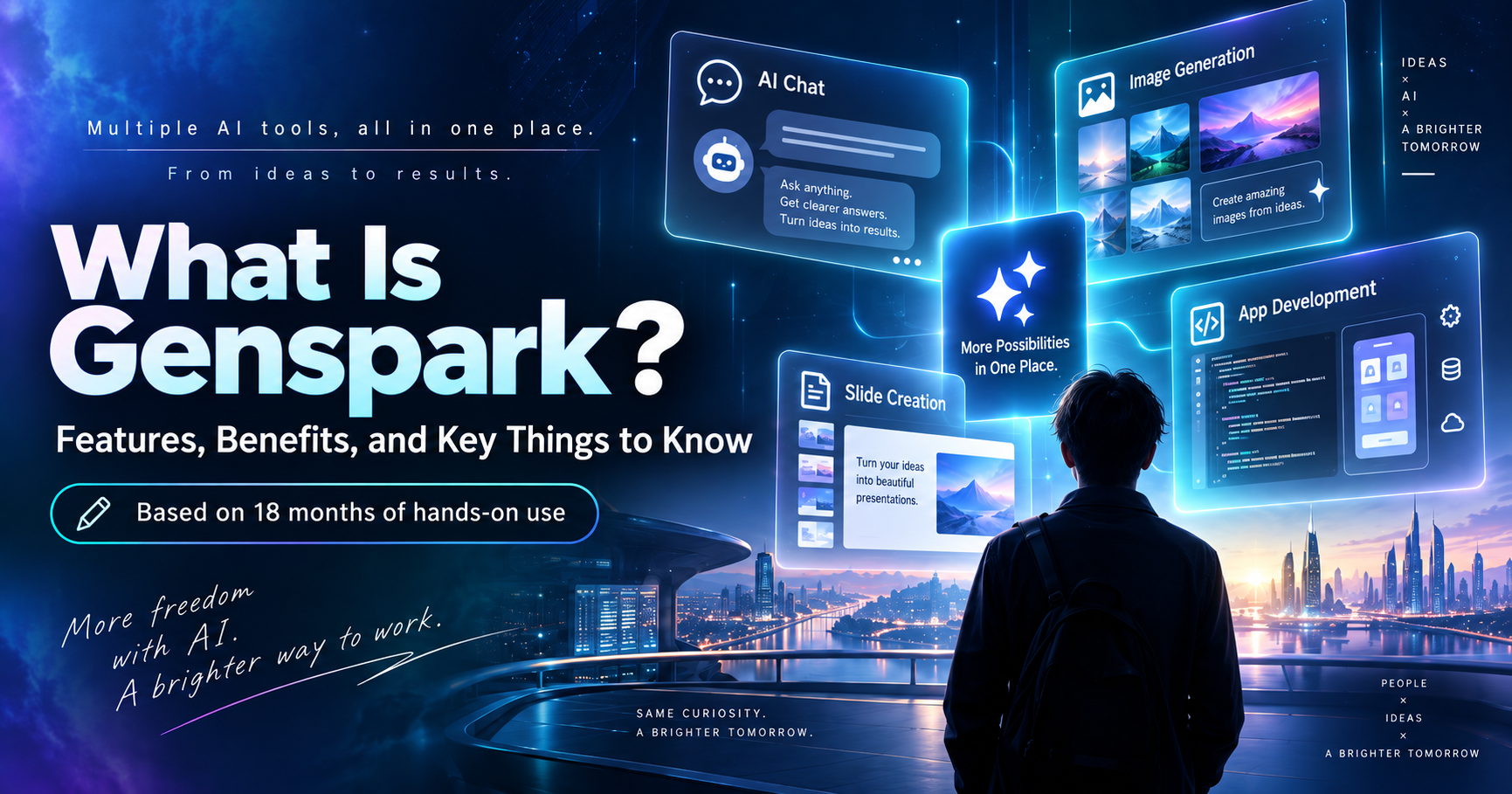
Simply put, Genspark is an AI platform that lets you use a variety of AI models, including ChatGPT, Claude, and Gemini, from a single service.
I've been using Genspark for about a year and a half. For roughly the past year, I've stayed on a paid plan and used it for much more than AI chat, image generation, and slide creation. I've also used it to build websites and business productivity apps.
In fact, I once built an application with more than 20,000 lines of code using only Genspark. I also use it for work to create presentations and images.
At the same time, I use tools such as Claude Code and ChatGPT. Having used Genspark for a long time, I now have a much better sense of where it is genuinely useful and where a specialized service may be the better choice.
In this article, based on my own experience, I'll explain what Genspark is, what you can do with it, and who I think it is best suited for.
What Is Genspark? The 3-Line Summary
- What kind of tool is it? An AI platform that lets you use multiple leading AI models — ChatGPT, Claude, and Gemini — from a single place
- What can it do? Far more than chat: it can also generate presentations, create images, and even build websites and apps
- Is it free? The free plan gives you 100 credits every day, enough to try most of the core features right away
Table of Contents
- What Is Genspark? A Service That Lets You Use Multiple AI Models in One Place
- The Key Difference Between ChatGPT and Genspark: Conversation vs. Getting the Work Done
- You Need to Log In to Use Genspark
- If You're New to Genspark, I Recommend Starting With AI Chat
- Genspark Is Also Very Good for AI Image Generation
- One of Genspark's Biggest Strengths Is High-Quality Slide Creation
- Genspark for PowerPoint, Excel, and Word Might Become Hard to Give Up
- Genspark Can Even Be Used for App Development
- However, Specialized Services Can Sometimes Be Cheaper
- Genspark's Official User Stories Help Explain What the Service Is Really For
- Benefits of Genspark
- Genspark's Drawbacks and Things to Keep in Mind
- Who Is Genspark Best For?
- Genspark Is Also a Way to Keep Up With the Evolution of AI
- Conclusion: Genspark Lets You Try a Wide Range of What Today's AI Can Do in One Place
What Is Genspark? A Service That Lets You Use Multiple AI Models in One Place
The easiest way to explain it is this: Genspark is a service that lets you use many different AI models in one place.
There are now an enormous number of AI services available.
Besides ChatGPT, Claude, and Gemini, there are text-generation models such as Grok and DeepSeek, along with image generators, video generators, presentation tools, AI agents, and many other services. If you follow AI news even casually, it can feel like a new name appears every month.
However, while there are countless services built around AI, the number of companies developing the high-performance foundation models behind those services is much smaller.
For everyday use, ChatGPT, Claude, and Gemini are currently among the main choices.
Grok has also been improving rapidly, while Chinese-developed models such as DeepSeek have added even more options.
Genspark lets you access multiple AI models like these from a single service. Paid plans include access to a range of current text, image, video, and audio models, along with features such as AI Chat and AI Image.
If you'd like a more complete rundown of Genspark's features, this article covers them in more detail.
What You Can Do With Genspark: Complete Feature Summary (2026 Edition)
The Key Difference Between ChatGPT and Genspark: Conversation vs. Getting the Work Done
Most people searching for "what is Genspark" are probably comparing it to ChatGPT somewhere in the back of their mind.
ChatGPT is fundamentally a conversational AI. It answers your questions, but everything that comes after — turning that answer into a document, sourcing images, writing and running code — is still up to you.
Genspark, on the other hand, works as a conversational AI Chat just like ChatGPT, but its Super Agent feature can also handle research, slide creation, image generation, and app development as a single automated task.
In my experience, the split looks something like this:
- For a quick question or a piece of writing, Genspark's AI Chat works just like ChatGPT.
- For something bigger — researching a topic and turning it into a document, or building and publishing an app — Genspark's Super Agent is where it really shines.
Being able to hand off the entire "research to finished output" process in one go, rather than just getting an answer, is the biggest difference I see between Genspark and ChatGPT.
You Need to Log In to Use Genspark
As with most other AI services, you need an account to use Genspark.
If you already have a Google account, signing in with Google is one of the easiest ways to get started.
Free accounts currently receive 100 credits every day, which you can use until your daily credit balance runs out.
If You're New to Genspark, I Recommend Starting With AI Chat
When you first log in to Genspark, you'll see a chat box on the homepage, much like you would with other AI services.
But I wouldn't recommend jumping straight into that homepage chat box.
Genspark has a large number of features, but if you're using it for the first time, I recommend starting primarily with AI Chat.
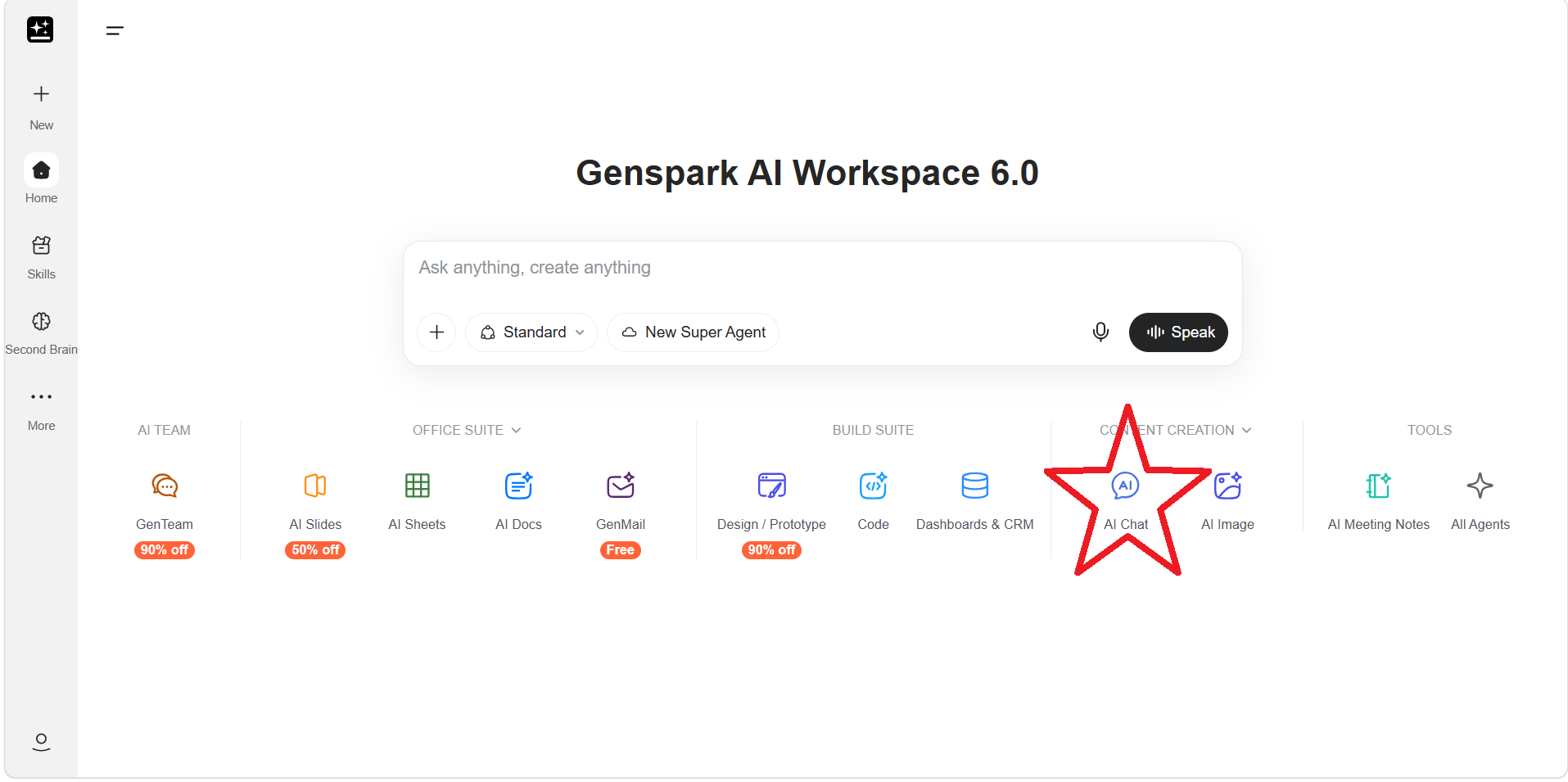
The Genspark homepage. AI Chat is located under "Content Creation."
The chat box on the homepage is called Super Agent. In addition to ordinary conversation, it can automatically call different tools and functions to carry out tasks for you.
Because it can do so much, it is tempting to ask Super Agent everything. However, if you use Super Agent even for ordinary conversations and simple questions, it can consume significantly more credits than necessary.
AI Chat, on the other hand, is designed for normal conversation and does not automatically invoke all of Genspark's other tools.
In exchange, its credit consumption is much lower.
Personally, I try to save Super Agent for tasks where I really need it.
Tip: Use AI Chat for everyday questions and conversation, and save Super Agent for tasks that really need it, like presentations or complex work. This one habit makes a big difference in how fast your free credits disappear.
You can open AI Chat from the icon below the chat box on the homepage.
Once you reach the AI Chat screen — which looks fairly similar to the homepage — you can choose the AI model you want to use from the model selector just above the chat box.
There are plenty of models available, but if you're unsure where to start, I think choosing a current model from ChatGPT, Claude, or Gemini is perfectly fine.
If you later want to try another model, simply choose a different one. A new AI Chat session will open, and you can continue there.
For simple questions, writing, brainstorming, planning blog posts, or outlining presentations, AI Chat is often more than enough.
You can select models from the ChatGPT, Claude, and Gemini families and use them much like ordinary standalone chatbots.
On the paid Plus and Pro plans, the core AI Chat Agent currently does not consume credits. According to the official Genspark Membership Plans page, this benefit is guaranteed through December 31, 2026.
The free plan does consume credits, but based on my experience, ordinary conversations in AI Chat are much more credit-efficient than asking Super Agent to perform large tasks.
I've previously written a detailed guide on how to save credits when using Genspark for free.
How to Make the Most of Genspark's Free 100 Daily Credits and AI Slides
If you're planning to use the free version, I recommend reading that article as well.
If you use Genspark for a long time, your AI Chat history can also become quite large. I've written another article explaining how I save and export my chat history.
How to Export Genspark Chat History: Easy Backup & Save Guide
Genspark Is Also Very Good for AI Image Generation
Genspark can also generate AI images.
This is another feature I personally use quite a lot.
My work involves Instagram management, social media images, and video production, and one thing I've learned is that different image-generation models have very different strengths.
Some are particularly good at realistic people. Others are better at illustrations. Some handle text inside images better than others.
Even if you enter exactly the same prompt, the results can be surprisingly different depending on the model.
Genspark gives you access to GPT Image models as well as other image models that are widely discussed in the AI community, such as Nano Banana.
If you subscribe to only one image-generation service, you sometimes have to force that model to create an image even when the particular task is not one of its strengths.
With Genspark, you can simply think:
"Maybe I'll try a different model for this one."
That flexibility is very useful.
If you regularly create images for social media, I think having a Genspark account is well worth considering.
On the paid Plus and Pro plans, AI Image Agent currently also comes with credit-free usage. The official Genspark Membership Plans page states that this benefit is available through December 31, 2026.
One of Genspark's Biggest Strengths Is High-Quality Slide Creation
Of all Genspark's features, slide creation is one of the ones I rate most highly.
Even now, Genspark is one of the tools I strongly recommend for creating presentations.
Give it a topic and a purpose, and it can organize the content and generate an entire presentation, including the design.
Earlier, I mentioned that you should save Super Agent for tasks where it is really useful. This is one of those tasks.
Creating a presentation involves many separate steps:
- Researching the topic
- Planning the structure
- Writing the content
- Finding or generating images
- Creating the layout
- Adjusting the design of each slide
For a human, this can easily take several hours.
Of course, that does not mean you should generate a presentation and send it directly to a client without checking anything.
Genspark has a tendency to make some text quite small, so I often need to increase font sizes, revise diagrams, or remove unnecessary slides.
Even so, it can create a very strong first draft.
There is a huge difference between opening a blank PowerPoint file and wondering,
"What should I put on the first slide?"
and opening a ten-slide presentation generated by Genspark and improving what is already there.
In some of my own projects, creating a presentation of around ten slides has consumed roughly 1,500 credits.
That is not a fixed cost, of course. Credit usage varies depending on the content and the task.
Even so, I think presentation generation is one of the areas where spending credits makes sense.
What you probably don't need to do is ask Super Agent something like:
"What would be a good structure for a ten-slide presentation?"
You can first work out the structure in AI Chat, and once you are happy with it, move on to slide generation. That can save a considerable number of credits.
Tip: Don't hand slide creation straight to Super Agent. Work out the structure in AI Chat first, then generate the slides. Just following this order can save you a significant number of credits.
Genspark itself recommends this approach. The AI Slides help page suggests first using free AI Chat to plan the content and page structure before generating the slides.
One important limitation is that the free version does not allow you to export your presentation as a PowerPoint file.
You can still try slide generation inside Genspark, but if you like the results and want to export them to PowerPoint, that may be a good time to consider a paid plan.
You can check pricing details on the Genspark Pricing Page (pricing details are further down the page).
Genspark for PowerPoint, Excel, and Word Might Become Hard to Give Up
Genspark also offers a feature called Genspark for PowerPoint. This is slightly different from the AI slide-generation feature.
Genspark is installed as a PowerPoint add-in.
When you open PowerPoint and launch Genspark from the add-in, a Genspark chat panel appears on the side of the screen. You can then give it instructions such as "Change this slide like this," and it will edit the presentation for you.
This is actually the kind of functionality I had hoped Microsoft Copilot would provide.
If you have been disappointed by Copilot, I definitely think this feature is worth trying.
Installation is slightly more involved because you need to connect it to your Microsoft account, but I explain the process in the article below.
Once it is installed, it is very convenient.
I've also written about my experience using Genspark directly inside PowerPoint.
My Hands-On Review of Genspark for PowerPoint
There is also Genspark for Excel and Genspark for Word. In the same way, you can open Excel or Word and ask Genspark to make changes directly to your file.
For more details, see the following articles.
Genspark for Excel Review: The Genspark 4.0 Excel Add-In Is Surprisingly Useful
Genspark for Word Review: My Honest Take on the Genspark 4.0 Word Add-In
Genspark Can Even Be Used for App Development
Genspark is not limited to AI chat and presentation creation.
You can also build websites and applications with it.
I have personally used Genspark to develop an application containing more than 20,000 lines of code.
One of the things that makes Genspark particularly convenient is that it provides a cloud-based development environment.
From a browser or even a smartphone, you can give instructions such as:
"Build this screen."
"Fix this error."
"Deploy this to Cloudflare."
You do not need to set up a development environment on your own PC.
For people who are not particularly familiar with programming, that is a major advantage.
For me, being able to build a fairly large application using little more than my smartphone was an experience that felt very specific to Genspark.
However, Specialized Services Can Sometimes Be Cheaper
The application development project itself was successful, but the credits included with my Plus plan were not enough, so I ended up purchasing additional credits.
In total, I spent around ¥30,000 on that application development project alone.
Considering that Genspark handled the development environment, code generation, debugging, web research, file management, and other tasks in one place, ¥30,000 is still extremely cheap compared with hiring a development company.
I was also able to do a large part of the development from my smartphone without even opening my PC.
From that perspective, I still think building the application with Genspark was a very worthwhile experience.
However, if I were building the same thing again, Claude Code would probably be cheaper.
I suspect I could have done it for around ¥3,000.
Genspark includes its cloud-based development environment, while Claude Code generally relies on your own PC and development environment.
Even so, this highlights an important point.
If you already know exactly what you want to do, paying directly for a specialized service can sometimes be cheaper.
Note: If your use case is narrow and well-defined — serious development only, or heavy use of one particular AI model — paying directly for a specialized service can end up cheaper than Genspark.
If your only goal is serious application development, Claude Code may make more sense.
If you plan to use one AI model heavily, subscribing directly to ChatGPT or Claude may make more sense.
If you only want to generate large numbers of videos with one particular video model, a specialized video service may be more suitable.
There are plenty of situations where this approach is better.
On the other hand, Genspark becomes much more attractive for people who think:
"I want to use ChatGPT."
"I also want to use Claude."
"I want to generate images."
"I need to create presentations."
"And occasionally I'd like to build an app."
The more varied your use cases are, the more Genspark's strengths start to make sense.
I wrote in detail about the time I spent around ¥30,000 building a 22,000-line application with Genspark here:
How I Built a 22,000-Line App With Genspark and Spent Around ¥30,000
Because of that experience, I don't believe that "Genspark is the best at everything."
I think the real value of Genspark is that it can do so many different things.
Genspark's Official User Stories Help Explain What the Service Is Really For
So far, I've mainly discussed how I personally use Genspark.
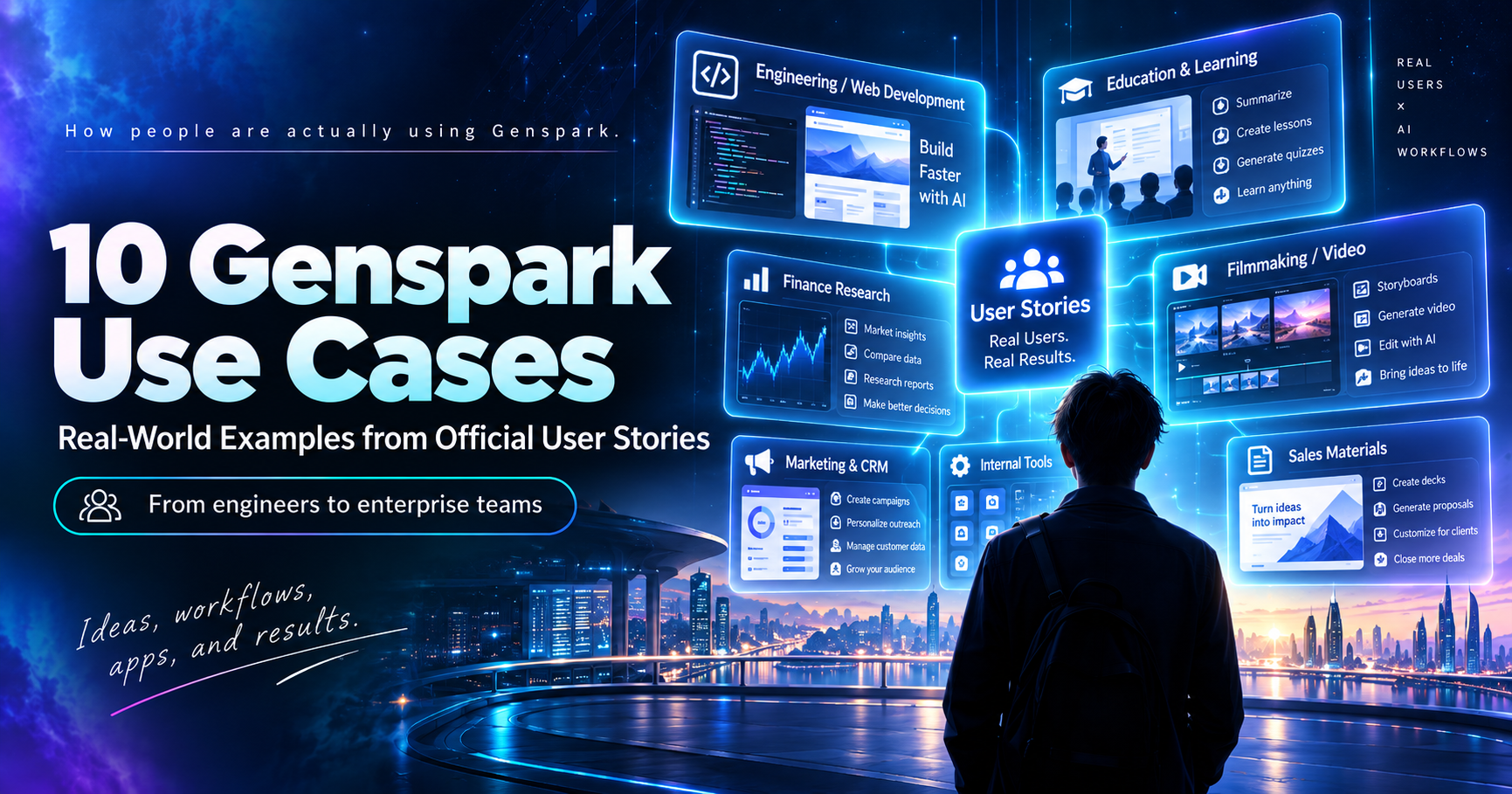
The English version of Genspark's official blog also has a series called "User Story." These articles introduce real users and explain what they are using Genspark for.
As of September 2026, the official Genspark blog includes examples from a wide range of fields, including engineering, management, education, filmmaking, finance, real estate, and marketing.
Naturally, these are success stories selected by Genspark itself, so they do not mean that every user will achieve the same results.
Even so, they are very useful if you are wondering what people are actually using Genspark for.
Some of the examples include:
- A Swiss IT engineer who consolidated several separate AI subscriptions into Genspark.
- A veteran web creator with no coding background who tripled the number of client projects he could handle.
- A 26-year-old business owner who automated commission processing for a sales organization of around 600 people.
- An educator with no coding experience who created more than 13 apps and educational tools, including a learning app for his five-year-old daughter.
- A filmmaker who created an AI movie almost entirely by himself.
- A finance intern who researched investment candidates from thousands of public documents.
- A marketing consultant who became able to build software himself.
- An illustrator who reduced planning time per image from 30 minutes to 10 minutes.
- A six-person IT team that built more than 25 internal tools in-house.
- Global real estate company CBRE using Genspark to prepare materials for competitive bidding.
If you would like to read more about each example, I've summarized them in the following article.
10 Genspark User Stories: From Engineers and Educators to Large Companies
Benefits of Genspark
After using Genspark for about a year and a half, the first major advantage I see is that you can try many different AI models, including ChatGPT, Claude, and Gemini, through a single service.
Another advantage is that you can start for free. The Free plan currently provides 100 credits per day, so you do not need to pay immediately (according to the official Genspark Credits Guide).
Personally, I also consider the quality of its slide generation to be a major advantage.
You can try multiple image-generation models, and you can even build websites and applications.
There is also another benefit that becomes more noticeable after using Genspark for a long time: it makes it easier to keep up with the rapidly changing AI industry.
When new models and features become available, Genspark continually updates its own service.
Even if you do not check every AI service every day, opening Genspark gives you a reasonable idea of what the latest AI tools are capable of.
Genspark's Drawbacks and Things to Keep in Mind
Of course, Genspark also has some disadvantages.
The first is that it can sometimes be more expensive than using a specialized service directly.
If you repeatedly use Super Agent, slide generation, video generation, or serious application development, you can consume a large number of credits.
It is better to use AI Chat for simple questions, AI Image for image generation, and Super Agent only for more complex work.
Paid-plan AI Chat and AI Image usage is also subject to fair-use limits that are separate from your credit balance. If you use them extremely heavily, temporary usage restrictions may apply. The official Genspark Credits Guide explains that these limits are managed using a five-hour window.
Another limitation is that the free version cannot export presentations to PowerPoint.
You can still experiment with slide generation inside Genspark, but if you intend to use those presentations professionally as PowerPoint files, you may need to consider a paid plan (see the AI Slides FAQ).
Who Is Genspark Best For?
Based on my experience using it for a year and a half, I think Genspark is particularly well suited to people who:
- Want to try multiple AI models such as ChatGPT, Claude, and Gemini
- Want to keep up with the latest developments in AI
- Frequently create presentations
- Create images or videos for Instagram and other social media platforms
- Want to try building websites or simple applications
- Want to improve business productivity inside their company
- Want to broadly explore how AI could be used in their work
- Work in IT and have been asked to research generative AI for their company
On the other hand, if you already know that you are going to:
"Use Claude Code seriously every day"
or
"Do everything with ChatGPT"
then subscribing directly to that individual service may be a better choice.
Genspark's strength is not that it lets you use one AI model more intensively than anyone else.
Its strength is that you can use many different AI models to do many different kinds of work.
Genspark Is Also a Way to Keep Up With the Evolution of AI
I think we are still in the very early days of AI.
A new model appears, and a few months later another model becomes the one everyone is talking about. New services built around those models are constantly appearing as well.
For an individual, keeping track of everything is almost impossible.
When I started using Genspark about a year and a half ago, it felt as though keeping an eye on ChatGPT, Claude, and Gemini was probably enough. Since then, however, many new services with very different capabilities have appeared.
With Genspark, when these new AI models start attracting attention, they are often added to the platform and become relatively easy to try.
You do not need to find the official website of every new AI model and investigate things like:
"Does it have a free plan?"
"Do I need to create another account?"
"Which subscription do I need to use it?"
The same applies to image generation.
When a new image model becomes available through Genspark, you can simply try it there.
I sometimes open Genspark and think:
"Oh, they've added this model too."
In that sense, simply using Genspark can help you keep up with the evolution of the AI industry to some extent.
If you work in corporate IT and someone tells you, "Look into the latest developments in generative AI," I think creating a Genspark account and experimenting with it is actually a good place to start.
It includes not only text-generation models from the ChatGPT, Claude, and Gemini families, but also image generation, video generation, slide creation, and application development.
It is an accessible starting point for broadly exploring what today's AI can actually do.
Listening to all this, Genspark sounds like the kind of thing you keep around just so you can try a bit of everything.
Exactly. There are specialized services it can't beat, but being able to try so many different AI models in one place is really where Genspark's value comes from.
Conclusion: Genspark Lets You Try a Wide Range of What Today's AI Can Do in One Place
So, what exactly is Genspark?
After using it for around a year and a half, I would describe it as:
A service that lets you use AI models such as ChatGPT, Claude, and Gemini while also experimenting with image generation, presentations, video, research, business automation, and application development — all in one place.
Because you can start for free, I recommend beginning with AI Chat if you are interested.
Try asking Claude or Gemini through Genspark the same kinds of questions you normally ask ChatGPT.
If you use social media, try creating one image.
If you work in an office, try generating a three- to five-slide presentation on a subject you know well.
If you then find yourself thinking, "I could actually use this for my work," you can move on to Super Agent, application development, and Genspark's more advanced features.
I have been using Genspark for around a year and a half, and the service has changed considerably even during that relatively short period.
More AI models have become available. Image-generation quality has improved. Video, presentation creation, application development, and other capabilities have continued to expand.
If you look at any single feature in isolation, there are specialized services that outperform Genspark.
In fact, for serious development work, I currently use Claude Code more often.
Even so, I continue paying for Genspark because it does not give me only one specialized AI function — it gives me a convenient way to experiment with many of the changes happening across the AI industry.
The AI world is still changing extremely quickly.
By next year, we may all be routinely using AI models whose names we have not even heard yet.
Trying to research every one of those changes yourself is difficult, but with Genspark, new AI models and new ways of using AI tend to appear naturally as the service evolves.
For someone who thinks, "I'm interested in AI, but I don't know where to start," I think Genspark is a very interesting entry point.