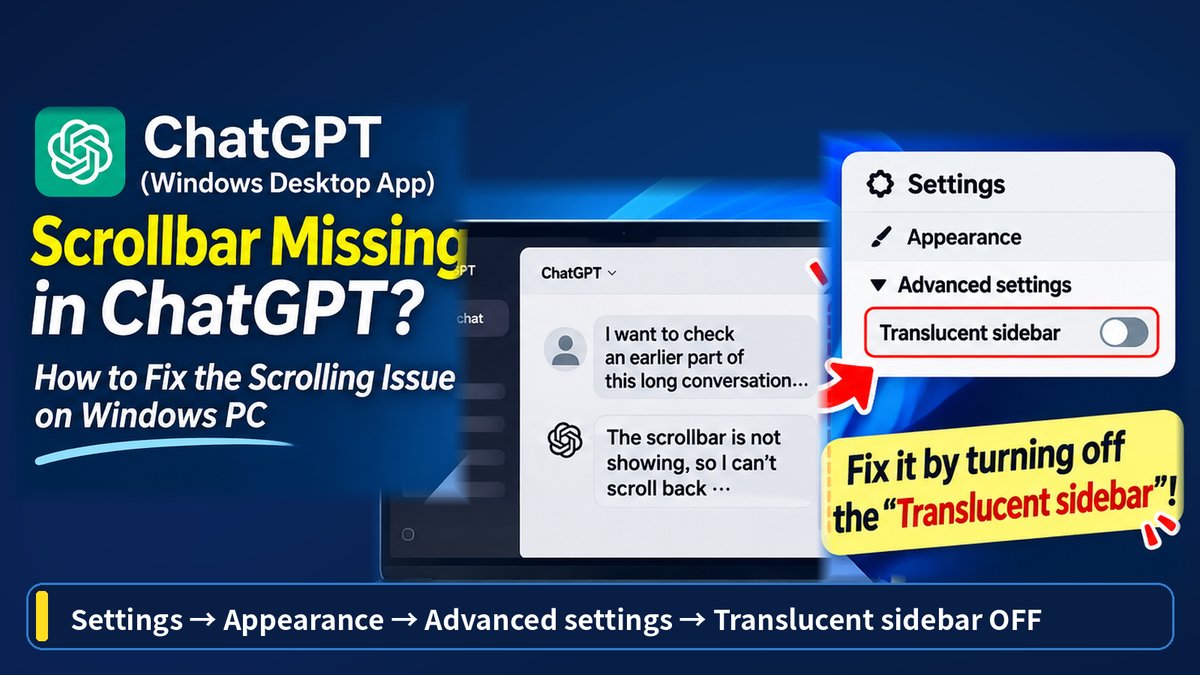
If you're using the ChatGPT desktop app on Windows, you might run into a frustrating problem: the vertical scrollbar on the right side of the chat window disappears.
I ran into this myself. The scrollbar suddenly stopped showing up, which made it hard to scroll back through long conversations and review earlier messages.
After digging into it, I found a surprisingly simple fix: turning off the "Translucent sidebar" setting.
The setting is buried in a fairly unintuitive spot, so here's exactly where to find it.
The short version
- The vertical scrollbar on the right side of the ChatGPT desktop app's chat window can disappear on Windows
- The fix: Settings → Appearance → Advanced settings → turn off "Translucent sidebar." That resolved it on my PC
- If that doesn't help, try restarting the app, checking for updates, or testing the same conversation in your browser
Table of Contents

Your chat scrollbar just... disappeared?

Yeah. It's a small thing, but surprisingly annoying — I almost reinstalled the app thinking it was broken.
Did you figure out what caused it?
I did — and it was a setting that has nothing to do with scrolling, at least on the surface. Let me walk through it.
ChatGPT Scrollbar Not Showing in the Desktop App
I regularly use the ChatGPT desktop application on my Windows PC. Recently, I noticed that the scrollbar on the right side of the conversation window was no longer visible.
To be clear, I'm not talking about the left sidebar that shows your chat history — that one was working fine.
The problem was with the vertical scrollbar on the right edge of the main conversation area, where you type messages and read ChatGPT's responses.
When working on longer conversations, being able to scroll back and review earlier instructions and answers is pretty essential. Without a visible scrollbar, that becomes unnecessarily annoying.
At first I assumed it was just a bug in the Windows app. Changing one display setting fixed it instead.
How to Fix the Missing ChatGPT Scrollbar
Here's what worked for me:
- Open the ChatGPT desktop app's Settings
- Select Appearance
- Open Advanced settings
- Turn off Translucent sidebar
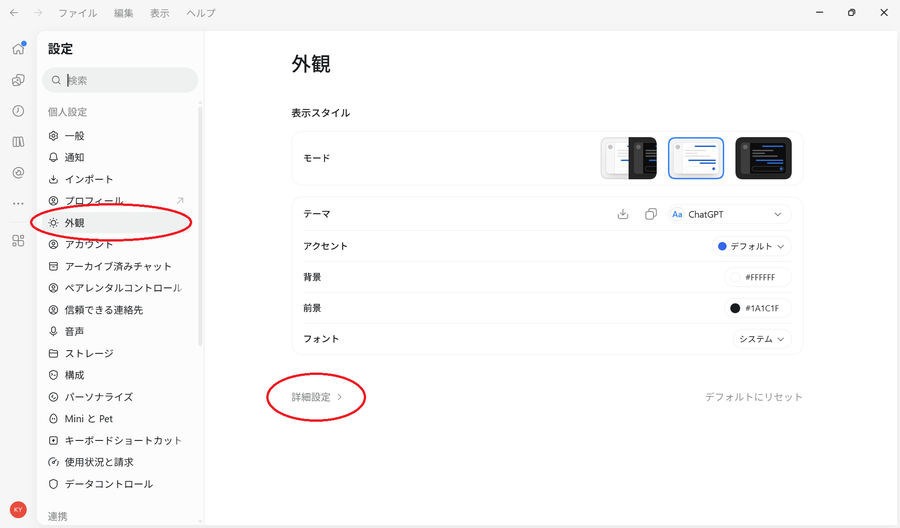
The path is Settings → Appearance → Advanced settings → Translucent sidebar. It's one level deeper than "Appearance" itself, which is easy to miss if you're only skimming the main Appearance page.
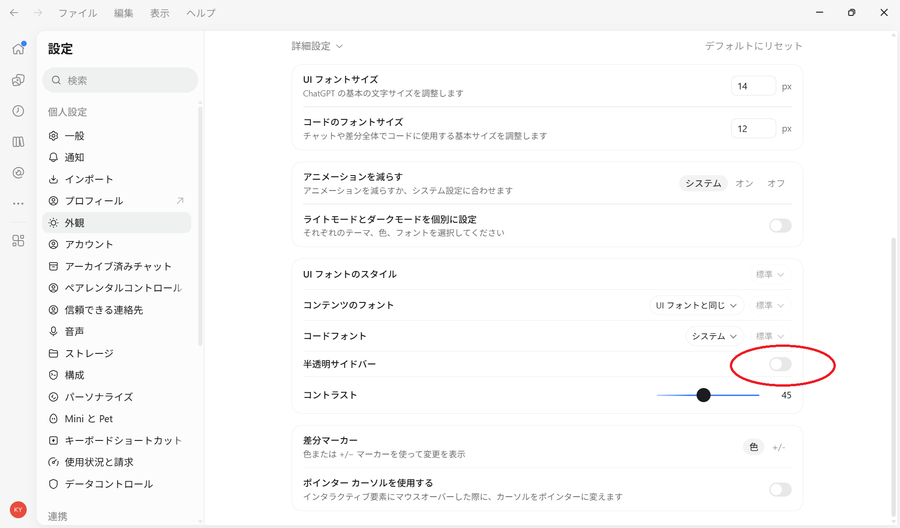
On my PC, turning this off made the scrollbar on the right side of the chat window reappear immediately.
I didn't need to reinstall the app or lose any conversation history.
Why Does the Translucent Sidebar Setting Affect the Scrollbar?
"Translucent sidebar" is, as the name suggests, a setting that makes the sidebar's background partially transparent.
On my install, it was turned on by default.
What I still don't understand is why a sidebar transparency setting would affect the scrollbar in the main conversation area. I haven't confirmed the underlying technical cause.
If your scrollbar disappears, a transparency option under Appearance → Advanced settings probably isn't the first place you'd think to look — the name doesn't suggest any connection to scrolling at all.
I don't really need a translucent sidebar anyway, so I've just left it off.
What If ChatGPT Still Won't Scroll?
This fix is based on the specific scrollbar issue I experienced myself.
ChatGPT can also run into other, different scrolling problems — mouse-wheel scrolling not working, the window getting stuck partway through, or the view jumping around on its own.
If turning off the Translucent sidebar doesn't help, try restarting the app or checking for an update first.
If the problem only happens in the desktop app, opening the same conversation in your browser is also a useful way to narrow down whether it's an app-specific issue.
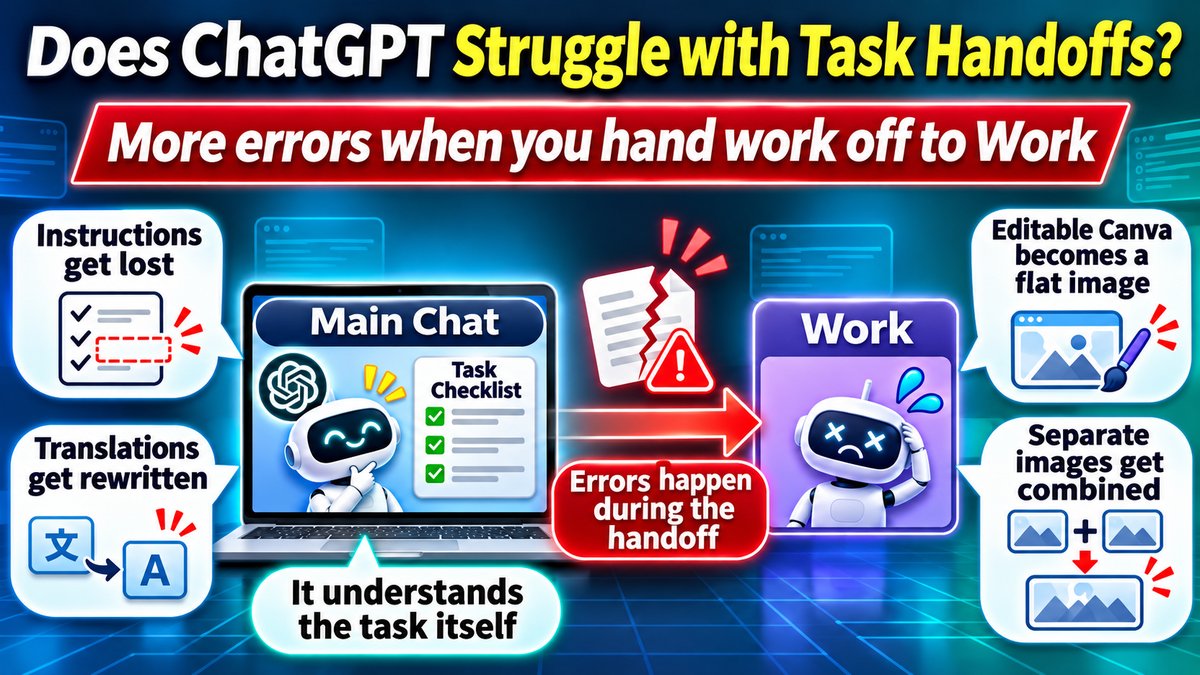
Display glitches aside, ChatGPT has another, different weak spot worth knowing about: conversations can go off track once you bring tools like Work or Codex into the mix. Worth keeping in the back of your mind whenever ChatGPT starts behaving oddly.
What Is ChatGPT, Anyway?
ChatGPT is OpenAI's generative AI assistant. It's used for everything from answering questions and writing to summarizing, translating, analyzing documents, and programming.
If you write with it enough, you'll probably start noticing its own distinctive verbal tics — I cover that pattern, sometimes called "GPT-style writing," in a separate article.
I also ran ChatGPT, Claude, and Gemini's free plans through the same 500 questions to compare them — worth a look if you're trying to decide which one to use.
I really wouldn't have guessed "Translucent sidebar" was the culprit.
Same. It's purely a cosmetic setting — I didn't expect it to touch the scrollbar at all.
Good to know — anyone with the same issue should check that setting first.
Conclusion
If the scrollbar on the right side of your ChatGPT desktop chat window disappears or becomes hard to use on Windows, check the Translucent sidebar setting first.
In my case, simply turning it off fixed the problem.
I didn't expect a sidebar transparency option to be the cause — and the setting itself is buried in a spot that's easy to miss.
If you're running into the same issue, it's worth trying before you reinstall the app.