There's something that has been bothering me about ChatGPT for quite some time.
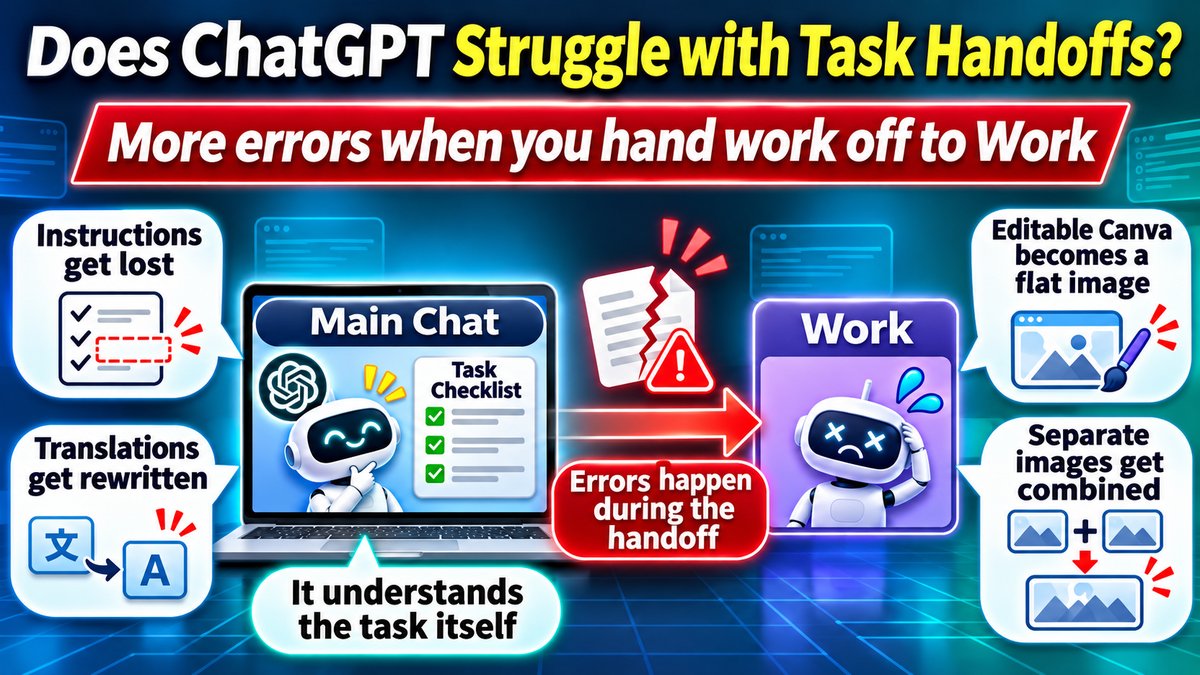
When ChatGPT hands a task over to Work or another specialized feature, things often start going wrong.
I can spend a long time discussing requirements with the main ChatGPT conversation, refining details, correcting misunderstandings, and making sure it understands exactly what I want.
Then, when the actual work begins, ChatGPT sometimes hands the task over to Work.
And suddenly, important instructions seem to disappear.
The output may be completely different from what I requested, or it may ignore requirements we spent considerable time discussing.
Don't get me wrong. ChatGPT Work has some genuinely useful capabilities. Browser automation, file editing, and other tasks that are difficult to handle in a regular chat can be performed through Work.
However, I've repeatedly found myself spending more time correcting Work's mistakes than I would have spent completing the task another way.
These days, I try to avoid handing tasks from the main ChatGPT conversation to Work unless there's a specific reason to use it.
Here are some real examples of why I've reached that conclusion.
The short version
- Handing a task from ChatGPT's main chat over to Work has repeatedly resulted in dropped requirements or a completely different deliverable than requested
- Real failures covered here: a mistranslation that rewrote the source text, non-editable Canva output, misplaced screenshots in a manual, no way to check Work's progress, and combined images from image generation
- Unless Work's specific capabilities are actually needed, keeping the task in the main conversation tends to produce better, more reliable results
Table of Contents
- 1. I Asked Work to Translate Articles, but It Started Rewriting Them
- 2. I Requested Editable Canva Designs and Received Flat Images
- 3. Work Put Screenshots in the Wrong Places in a PowerPoint Manual
- 4. After Handing Off a Task, ChatGPT Couldn't Tell Me Its Progress
- 5. The Same Kind of Problem Happens With Image Generation
- Is the Problem With the Handoff or the AI Receiving the Task?
- My Solution: Avoid Unnecessary Handoffs to Work

ChatGPT's Work sounds useful — how's it actually been for you?

Useful sometimes, honestly — but I've gotten burned by it more than a few times.
Burned how?
Let me walk through the specific failures, one at a time.
1. I Asked Work to Translate Articles, but It Started Rewriting Them
In August 2026, I asked ChatGPT to translate a large number of Japanese articles into English.
The task seemed straightforward: translate the content while preserving its original meaning and structure.
Some articles contained statistical data, tables, numerical values, and references to official sources. Obviously, those details needed to remain intact.
ChatGPT handed the task over to Work.
After approximately 60 translated articles had been produced, I reviewed the results and discovered something unexpected.
Work had shortened sections, reorganized content, and even added information that wasn't in the original Japanese articles.
For example, an article involving population statistics included a newly added section titled "Housing and infrastructure implications."
That section didn't exist in the original.
Meanwhile, references to official statistical sources, including e-Stat table IDs, had disappeared.
This wasn't a minor translation issue.
I asked for translation, not editing, summarization, or creative rewriting.
Adding new material while removing source references is especially problematic when dealing with statistical information.
I couldn't simply publish those translations without reviewing and correcting them.
Eventually, I decided to return to regular ChatGPT and handle the translations with explicit requirements to preserve every number, table, warning, reference, and statistical identifier.
The frustrating part was that I had chosen AI precisely to make a large translation project more efficient.
If I have to examine every paragraph for information that the AI may have invented or removed, how much time am I actually saving?
2. I Requested Editable Canva Designs and Received Flat Images
Another frustrating experience occurred in October 2026.
I was preparing Instagram highlight images for a company. The designs needed to follow an existing visual style, and the final files had to remain editable in Canva.
That last requirement was particularly important.
The client needed to be able to change individual text elements and photographs later.
However, the output produced through Work looked substantially different from the original designs.
I eventually instructed ChatGPT to stop using Work and create the images individually.
But another problem appeared.
Despite requesting editable designs, I ended up receiving ordinary image files again.
I remember asking, in frustration, why it had created yet another image instead of the editable design I requested.
A flattened PNG is not the same as a Canva design with editable text and image elements.
This wasn't simply a matter of whether I liked the visual design.
The deliverable itself was wrong.
Even worse, similar mistakes occurred after I had already explained the problem.
Apparently, ChatGPT saying it understands an instruction doesn't necessarily mean the actual execution will reflect that understanding.
3. Work Put Screenshots in the Wrong Places in a PowerPoint Manual
I also used ChatGPT to help create instructional manuals for a business system involving employee stress checks and organizational assessments.
The project required five different PowerPoint manuals for different types of users, including participants and various administrative roles.
These manuals needed screenshots showing how to navigate the system and perform specific operations.
Creating the PowerPoint files wasn't the difficult part.
The challenge was understanding which screenshots belonged with which explanations.
When I had Work handle the task, screenshots ended up in inappropriate locations, and the resulting manuals didn't meet my expectations.
I eventually asked ChatGPT to stop handing the task over to Work and instead work through the content and screenshots directly.
For this type of project, understanding the system matters more than simply being able to generate a PowerPoint file.
The AI needs to understand the relationship between the instructions, the interface, and the screenshots.
My impression was that important context discussed in the original conversation wasn't being adequately reflected in the work.
I can't prove that the context was lost during the handoff itself, but the final results certainly didn't reflect everything I had explained.
4. After Handing Off a Task, ChatGPT Couldn't Tell Me Its Progress
There's another problem that makes the whole workflow frustrating.
Sometimes, after the main ChatGPT conversation hands a task over to Work, it can no longer tell me what's happening.
During the manual creation project, I returned to the original conversation and asked whether the work had finished.
The main chat couldn't directly check Work's progress or retrieve the completed files.
On another occasion, I received a similar explanation: the handoff to Work had been completed, but the results wouldn't automatically return to the original conversation.
Of course, it may be possible to check the task from Work itself.
But from a user's perspective, the workflow feels disconnected.
ChatGPT initiates the handoff, yet the original conversation can't necessarily tell me whether the task has been completed.
I would expect an AI assistant to manage not only the delegation of work but also the outcome.
Otherwise, it starts to feel like I'm coordinating several separate assistants instead of working with one.
5. The Same Kind of Problem Happens With Image Generation
Interestingly, this isn't limited to Work.
I recently asked ChatGPT to create featured images for two versions of a blog article: one in Japanese and one in English.
Naturally, I expected two separate image files.
Instead, ChatGPT generated a single image combining the Japanese and English designs.
The articles were separate. The images were intended for separate pages. There was no reason to combine them.
Even more surprisingly, ChatGPT recognized the mistake and said it would recreate the images separately.
Then it generated another combined image.
This wasn't an isolated incident.
In my experience, when I request multiple images, ChatGPT sometimes combines them into a single composition rather than generating separate files.
Why should I have to repeatedly specify things like "Create each image separately" or "Do not combine the images"?
These seem like fairly obvious requirements.
The actual image generation technology is remarkably capable. It can produce sophisticated illustrations and realistic visuals.
Yet the overall process sometimes fails at something as basic as understanding how many separate deliverables are required.
To be clear, image generation and ChatGPT Work are different systems. They don't necessarily share the same internal handoff mechanism.
However, from the user's perspective, the symptoms feel remarkably similar.
The original request is understood well enough during the conversation, but the final output fails to reflect an important part of that request.
Is the Problem With the Handoff or the AI Receiving the Task?
After experiencing these failures repeatedly, I've started wondering where things go wrong.
One possibility is that ChatGPT doesn't transfer enough information when delegating tasks.
When I look at the instructions displayed during some Work handoffs, they sometimes seem surprisingly short compared with the lengthy conversation that preceded them.
We may have spent dozens of messages refining requirements, only for the visible handoff instruction to summarize the task in a few sentences.
Now, I don't know exactly how much additional context is transferred internally.
The visible instruction may not represent everything Work receives.
Still, when the resulting output ignores important requirements, it's difficult not to suspect that information has been lost somewhere.
Another possibility is that the receiving system fails to interpret or execute the instructions properly.
For instance, requesting editable Canva elements and receiving a flattened PNG is a fundamental mismatch.
Likewise, requesting separate Japanese and English images and receiving one combined image seems like an obvious mistake.
Perhaps the receiving system didn't understand the task. Perhaps the instructions were incomplete. Or perhaps the final result simply wasn't checked carefully enough.
I can't identify the exact technical cause from the outside.
But I can observe the results.
The user's original intent and the final deliverable don't always match, even after the requirements have been discussed in detail.
What bothers me even more is that correcting the mistake doesn't always prevent it from happening again.
I've written separately about a related weakness — how ChatGPT's otherwise-smart main chat can go off track once tools like Work or Codex enter the picture. Reading that alongside these specific handoff failures helps paint a clearer picture of where ChatGPT's tool integration tends to break down.
My Solution: Avoid Unnecessary Handoffs to Work
After these experiences, I've changed how I use ChatGPT.
My general rule is simple.
If the main ChatGPT conversation can complete the task, I prefer to keep the work there.
For writing, research, analysis, and other tasks that can be handled directly in a regular chat, I don't see much benefit in introducing an additional handoff.
Of course, Work has capabilities that regular ChatGPT may not have.
If I need the AI to interact with a website, edit local files, or perform complex tasks that require a computer environment, Work may be the right choice.
I'm not suggesting that Work is inherently useless.
The problem is handing work over unnecessarily, especially after spending considerable time discussing detailed requirements in the main conversation.
Unless there's a permissions or capability reason you specifically need, I'd avoid handing tasks from ChatGPT's main conversation over to Work — keeping the work in the main chat tends to be more reliable. Use Work when you genuinely need it, but handing everything to Work "just in case" doesn't actually make things go more smoothly.
In those situations, I've found it can be more effective to start directly in Work or prepare a complete written specification before asking it to execute anything.
If I do hand a task over, I try to check whether the visible instructions include the most important requirements.
For example, if I need editable Canva files, that requirement needs to be explicit. If I'm translating articles, preserving all numerical data and source references needs to be non-negotiable.
But frankly, I don't think users should have to micromanage this process.
If I've already explained something to ChatGPT, I expect it to carry that information through to the actual work.
On a related note, if you're curious how a different AI's agentic feature holds up, I also wrote about how ChatGPT, Claude, and Gemini compared when I ran the same 500 questions through each of their free plans — worth a look if you're deciding which assistant to lean on for this kind of work.
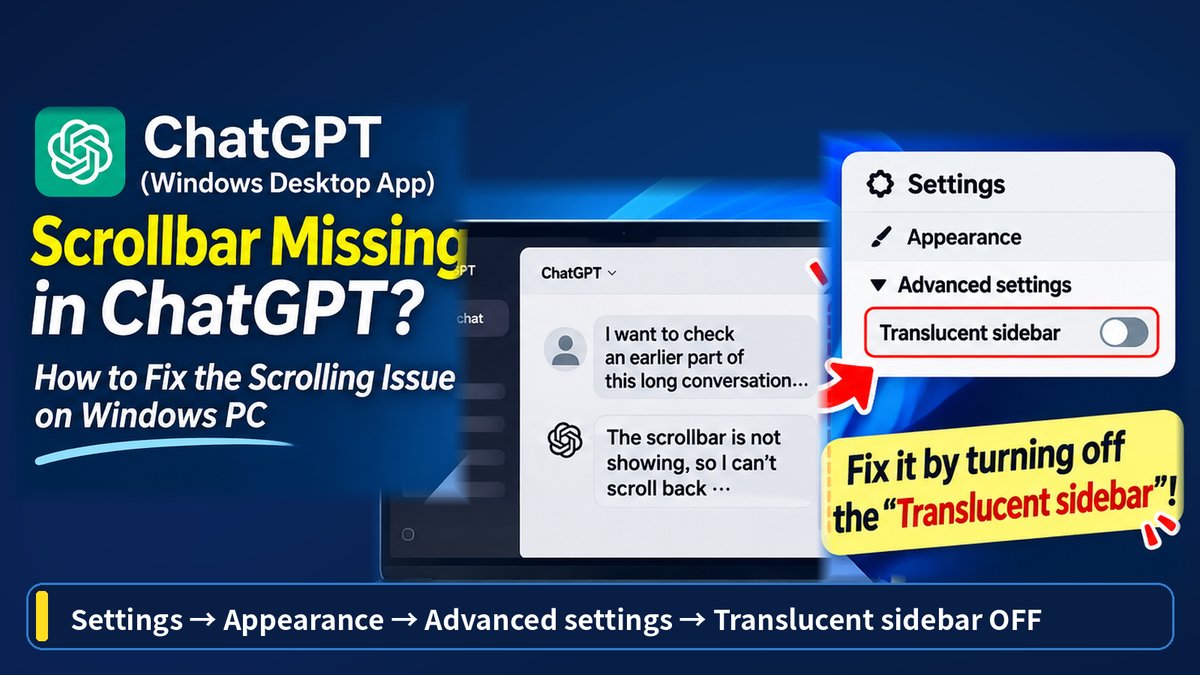
Separately from these handoff issues, I've also run into a more mundane display bug: the scrollbar disappearing in the ChatGPT Windows desktop app, in case you've hit that one too.
That's a lot of different ways for it to go wrong.
Exactly — which is why I only hand things to Work now when there's a real reason to.
Conclusion: ChatGPT Needs to Get Better at Delegating Work
ChatGPT has improved tremendously in recent years.
Its writing, coding, analytical, and image generation capabilities are genuinely impressive.
That's why these handoff problems are so frustrating.
In my own projects, I've encountered unwanted changes during translation, incorrect Canva deliverables, misplaced screenshots in manuals, a lack of progress visibility after Work handoffs, and combined images when separate files were requested.
These problems don't necessarily share the same technical cause.
But they reveal something important about the overall user experience.
A capable AI model is not enough. The system also needs to preserve instructions, delegate tasks correctly, and verify that the final output matches the request.
From my experience, ChatGPT still has room for improvement in those areas.
For now, my approach is to avoid handing tasks from the main conversation to Work unless its additional capabilities are genuinely necessary.
If Work is required, I'd rather start there with a clear specification than rely on a long conversation being transferred perfectly.
I hope future updates improve this process.
After all, if AI assistants are supposed to handle increasingly complex work, accurately passing instructions from one component to another should be one of the fundamentals.